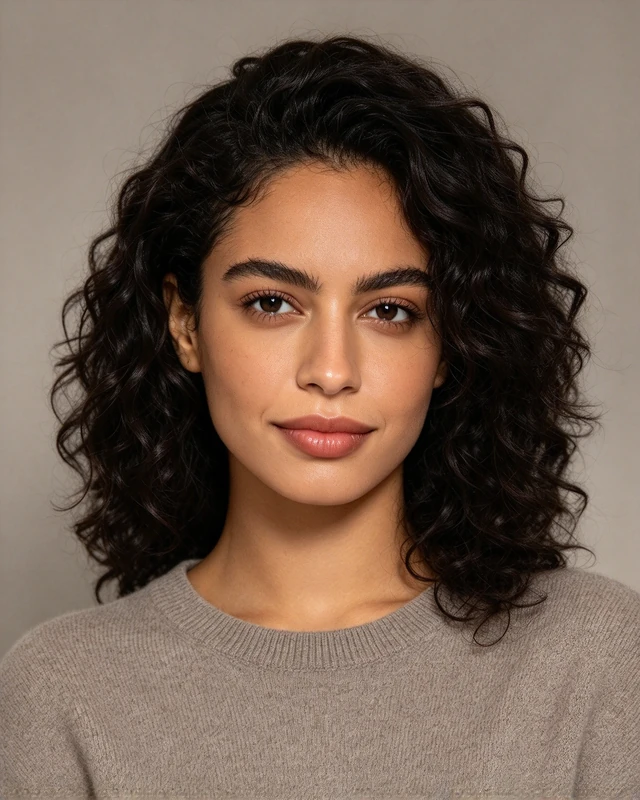
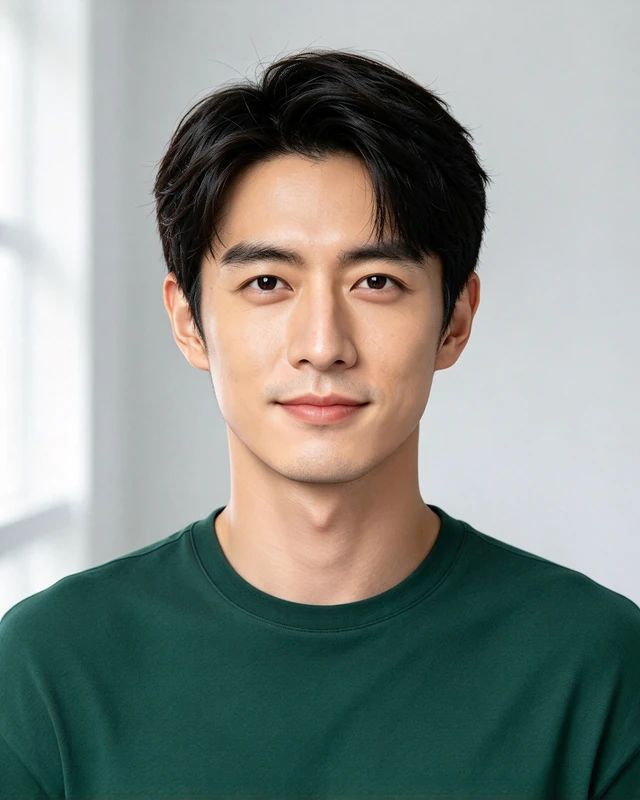
Compare the outfit, background and crop—not just the person in the photo.
Style references, not customer results. AI likeness and details can vary.
01Suits & blazers
A tailored starting point, with or without a tie.
Style reference
Formal Suit · Studio
A navy suit, burgundy tie and quiet gray backdrop make this the most formal direction here. Consider it when a suit reflects how you want to show up at work. The restrained expression keeps the focus on your face.
Look forA tie is a choice, not a LinkedIn requirement.
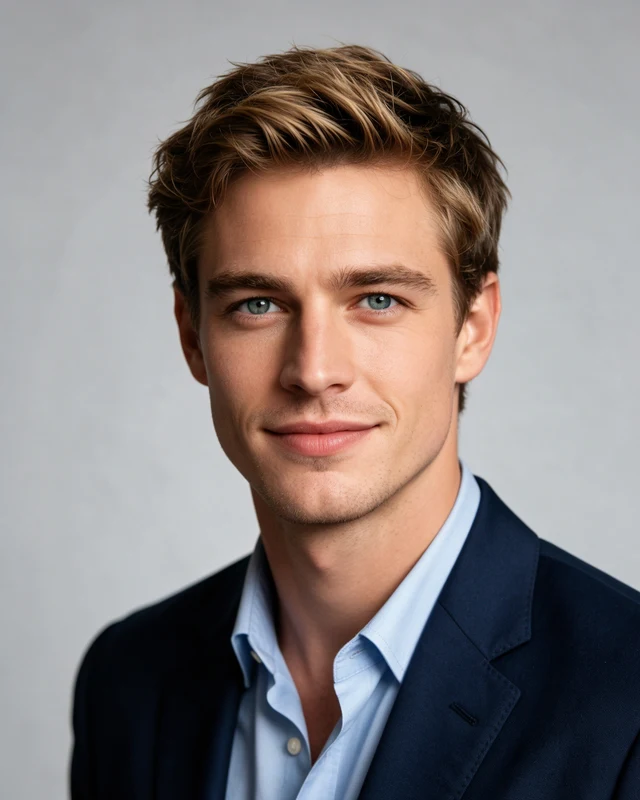
Style reference
Navy Blazer · Blue Shirt
A navy blazer and open blue collar keep the tailored shape without a tie. The light-gray studio removes background distractions. Compare it with the suit beside it: you can choose a less formal look without changing to a casual outfit.
Look forLeave room above your hair in the circular crop.
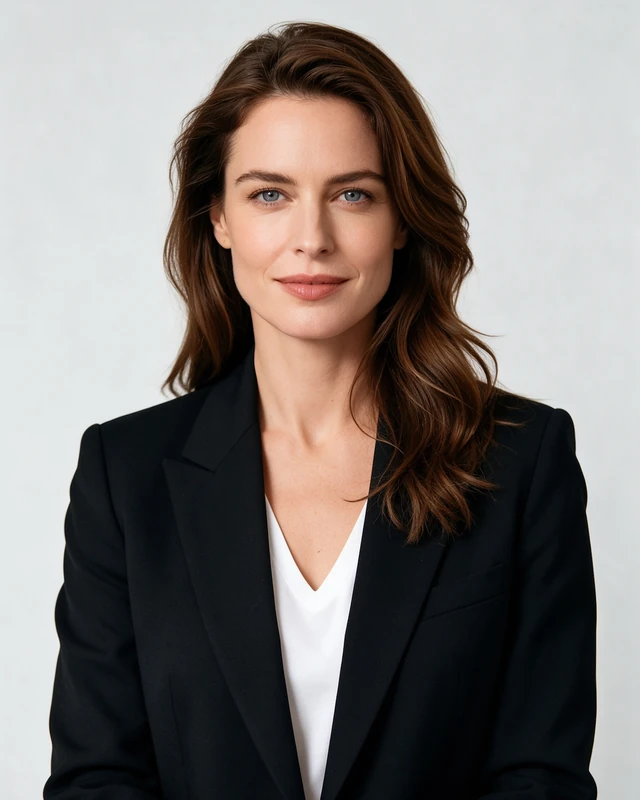
Style reference
Black Blazer · Bright Studio
The dark blazer stands apart from a pale studio background, while a plain white neckline keeps the outfit simple. This is another tailored option without a tie. Choose the clothing you prefer; the person modeling it does not limit who can use it.
Look forKeep detail visible in both dark clothing and light fabric.
02Shirts & blouses
An open neckline and a lighter, less formal feel.
Style reference
Blue Shirt · Bright Office
A light-blue shirt without a jacket gives this reference a less formal feel. The open smile and bright office add a different expression and setting. It is useful to compare with the studio examples if you prefer some background context.
Look forAt avatar size, the background should not compete with your face.
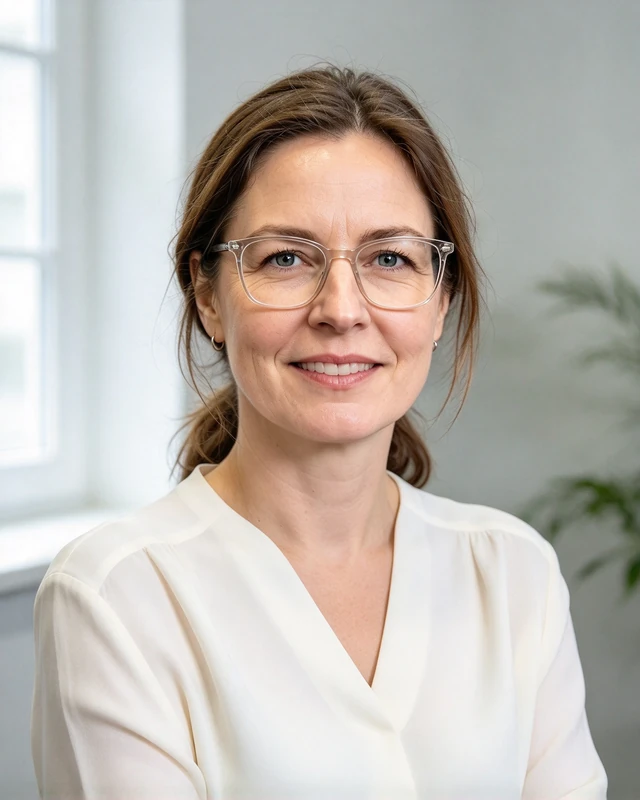
Style reference
Ivory Blouse · Window Light
A draped, collarless blouse changes the shape of the neckline, while soft window light adds gentle depth. Consider this when you want a simple outfit without a structured collar. Glasses and other features on reference models are not added to your result.
Look forReview your own glasses, eyes and hair for AI artifacts.
03Relaxed layers
Professional does not have to mean wearing a suit.
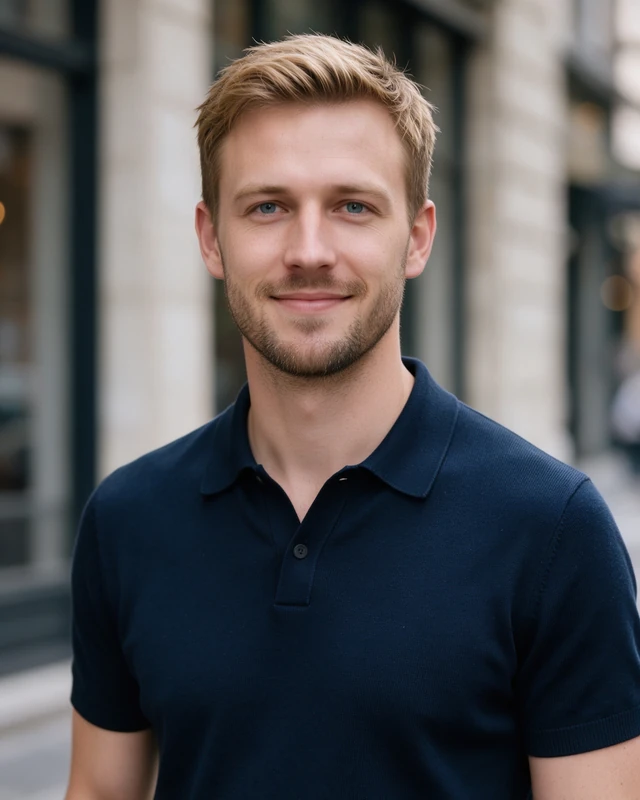
Style reference
Navy Polo · City
A plain navy polo keeps the outfit relaxed, with a city setting instead of a seamless studio. It may fit the way you already dress at work. Notice how the softer background leaves the person more prominent than the street.
Look forCheck the small circular crop, not just the full-size portrait.
Style reference
Soft Knit · Studio
A fine-knit crew neck and warm-gray studio make a quieter combination. There is no jacket, tie or office scene. Consider this direction if knitwear feels more like your everyday work clothing and you prefer a restrained expression.
Look forChoose an expression that still feels like you.
Style reference
Green Tee · Soft Daylight
A solid green tee and gentle daylight offer the most casual clothing option in this selection. It can be appropriate when that matches your workplace, but it is not a universal choice. Face clarity and a natural likeness still matter more than the outfit.
Look forMatch the formality to your workplace, not a job-title stereotype.
Eight starting points, not eight rules. Browse all 19 LinkedIn looks in the studio. No style is restricted to a profession or gender.
Compare the same reference at equal sizes. These are illustrative framing and blur demonstrations—not before-and-after AI results.
AdjustFace too small
CheckFace is readable
Give your face enough space
A distant face can disappear at avatar size. Use a closer head-and-shoulders crop without squeezing out your hair.
AdjustCrop too tight
CheckRoom around your head
Leave room above your head
A close crop can cut off the top of your head. Leave a little space, then check the circle before saving your profile photo.
AdjustSimulated blur
CheckClearer reference
Check clarity before posting
Use an in-focus image. A larger export will not restore missing detail in a blurry original; inspect your eyes at full size too.
PortraitCircle cropSmall avatar
Illustrative crops, not a LinkedIn screen or fixed display sizes.
Before you publish
Does it still look like you?
Your profile image often appears much smaller than the downloaded file. Look at both sizes before choosing a portrait.
Your face is recognizable, in focus and naturally proportioned.
You are the only person in the picture.
Your head has breathing room and the background stays quiet.
Your clothes and expression feel appropriate to you.
Eyes, glasses, teeth and hair have no distracting AI artifacts.
Make the next portrait yours
One selfie. One look. Four portraits to choose from.
Start with a clear photo of yourself, choose your look, then review and pay before AI generation. You get four portraits in that one style—not four different outfits.
No account or subscription. Inspect your results for likeness. There is no automatic free redo; see our refund policy.
No. Choose a level of formality that fits the way you work and want to present yourself. A suit, an open-collar shirt or a simple relaxed layer can each be a reasonable choice. None guarantees more views, interviews or job offers.
Should I smile with my teeth showing?
Choose a natural expression you are comfortable with. A small smile, an open smile or a calm expression can work. In the studio you can use the template expression or choose to preserve your source expression; AI details may still vary.
Should I choose square or portrait format?
Square 1:1 is a practical starting point for a profile photo; portrait 4:5 is also available in the studio. The download is a rectangular JPG. Check the circular crop on LinkedIn before you save it, leaving your hair and face inside the frame.
Can I use these examples as my profile photo?
These images illustrate styles, not your identity. Do not use another person’s face as your own. To create your own portraits, upload an authorized photo of yourself. Check every output for likeness, natural features and distracting artifacts before publishing.